RPro2 Dynamics Suite Free Trial — Volume Rider, Compressor, Limiter & Sidechain Plugin
RPro2 Dynamics Suite Free Trial — Volume Rider, Compressor, Limiter & Sidechain Plugin
Try RPro2 Free for 7 Days — No Commitment, Full Features
Automatic volume riding, compression, sidechain, gating, limiting, and automation — all in one lightweight plugin.
Get balanced, professional-sounding mixes in seconds without drawing automation curves, stacking plugins, or fighting inconsistent levels.
RPro2 Audio Dynamics Suite automatically levels your audio using intelligent Rider technology, then gives you built-in compression, sidechain processing, noise gating, limiting, and automation tools to finish the job — all from a single streamlined workflow. Try it free for 7 days, no credit card required.
Everything Included in the Free Trial
🎚 Automatic Volume Riding
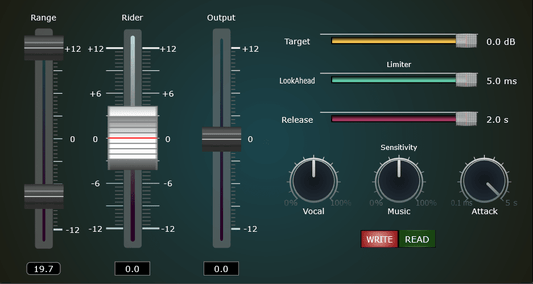
Use RPro2 as a vocal rider, instrument leveler, or podcast volume automation tool. Intelligent Rider technology automatically balances levels in real time, helping tracks stay present, controlled, and mix-ready from the first pass.
🔇 Eliminate Background Noise Instantly
Clean up recordings with the integrated Noise Gate. Reduce room noise, microphone bleed, and unwanted distractions for a cleaner, more professional sound — no extra plugin required.
🔊 Louder Mixes, Zero Clipping
The built-in Limiter helps you achieve competitive loudness while protecting your audio from distortion and unwanted peaks. Get louder, more consistent mixes while maintaining clarity and dynamic impact.
⚡ Precision Compression & Sidechain Control
Shape dynamics with transparent compression, musical ducking, or modern pumping effects. Perfect for music production, mixing, podcasting, broadcast, and post-production workflows.
🚀 Add Energy, Movement & Transitions
Create builds, drops, swells, and dynamic transitions effortlessly using integrated automation tools designed to add motion and excitement to your productions.
💻 Print Automation & Save CPU
Bake Rider automation directly into your tracks and reduce processing load during mixing and mastering sessions. Enjoy lighter projects, faster renders, and more efficient workflows.
Everything You Need to Control Dynamics
Replace separate Rider, compressor, gate, limiter, sidechain, and automation plugins with a single streamlined workflow.
Instead of loading multiple plugins and configuring complicated routing, RPro2 gives you all the essential dynamics tools in one lightweight solution.
Ideal for producers who want the speed of automatic mixing tools while retaining full control over their dynamics processing.
Spend less time fixing levels. More time making music.
Perfect For
- Vocals & Lead Instruments
- Podcast Editing & Voiceovers
- Drums & Percussion
- Bass & Guitars
- Live Recordings
- Streaming & Content Creation
- Mixing & Mastering
Designed for Real-World Production
From vocal mixing and podcast editing to mastering and live recordings, RPro2 gives creators a faster way to achieve consistent levels, cleaner mixes, and professional dynamics without a complicated setup.
Whether you're a bedroom producer, independent musician, content creator, or professional audio engineer, RPro2 helps you work faster while delivering polished, professional results.
Lightweight, Efficient & Professional
- ✓ Full-featured 7-day free trial
- ✓ Low CPU Usage
- ✓ No iLok Required
- ✓ No Credit Card Required
- ✓ No Bloated Companion Apps
- ✓ Fast Setup & Workflow
- ✓ Works with FL Studio, Ableton, Logic Pro, Cubase, Reaper & more

Couldn't load pickup availability

As Featured In
-

NOIZEFIELD
visit"✓ Comprehensive dynamics control with compression and limiting
✓ Flexible side-chain functionality for balanced mixes
✓ CPU-efficient automation for baked-in effects
✓ Versatile for vocals, drums, bass, guitars, masters, and podcasts."
-

The Beat Community
visit"RPro2 is a rider, noisegate, limiter, compressor, side-chain & automation, the ultimate tool for dynamics and the culmination of past plugins. RPro2 works great to smooth vocals, Guitars, Bass & Drums."
-

plugins.audio
visit"All-in-one dynamics processor combining rider, gate, limiter, compressor, sidechain, and automation for efficient audio leveling across vocals, instruments, and podcasts."
-

S1 Forum
visit"RPro2 integrates the functions of various existing dynamic processing plugins into a single product, designed to allow for more natural control over the levels of vocals, guitar, bass, drums, and more."
-

Rekkerd.org
visit"Casa Occidente has introduced an audio plugin which is designed to help you get perfectly leveled audio in seconds."
-

ZiCOS
visit"Introducing RPro2, a rider, noisegate, limiter, compressor, sidechain & automation VST3 plugin & AU component available for Windows and MacOS."
-

MIXING
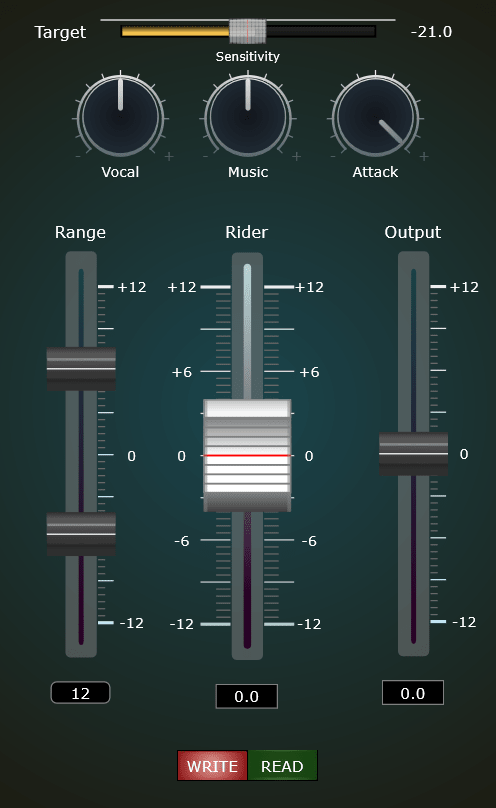
visit"RPro2 key features include a dynamic control section for setting movement range, output level, and sensitivity; a sidechain that allows an instrument bus to influence other tracks; automation for baking rider movement into a track; and a compressor/limiter section with adjustable attack, release, and lookahead controls."


Manual
Plugins
-
RPro2 Audio Dynamics Suite — Volume Rider, Compressor, Limiter & Sidechain | Lifetime License
Vendor:casa occidenteRegular price $249.00 USDRegular price -
RaiderPro — Automatic Vocal Rider & Audio Leveler Plugin | Lifetime License
Vendor:casa occidenteRegular price $34.99 USDRegular price$199.00 USDSale price $34.99 USDSale -
Vocal Focus — One-Knob Vocal Rider & Automatic Vocal Leveling Plugin
Vendor:casa occidenteRegular price $17.00 USDRegular price$35.00 USDSale price $17.00 USDSale