RPro2 3.0.0: See Every Vocal Rider Move, With a Faster DSP Core
A great vocal performance should hold your attention, not send you chasing the fader every time the singer moves from a quiet line to a loud phrase. RPro2 3.0.0 is a full dynamics suite — riding, gating, sidechain and limiting in one plugin — and the vocal rider is the part this release is built around.
The headline change is that you can now watch the rider work. A live plot shows the level coming in, the Target you set and the exact amount of gain applied to close the gap, with a 3D view of the same move. Underneath it, the DSP core was rebuilt for speed and stability, so the plugin you are watching is also cheap enough to leave open while you mix. Below that: twice the ride range, a Release that reaches zero and a click-free bypass for honest A/B.
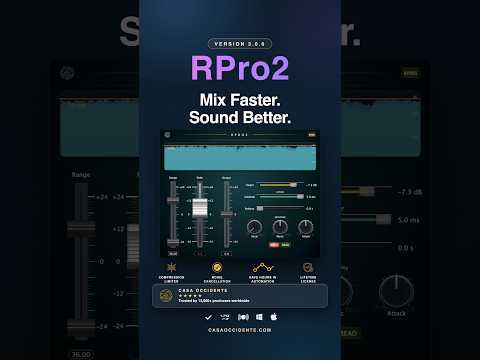
Hear it on a vocal in the 30-second demo below, then get RPro2 with a perpetual license for your own sessions.
Get RPro2 — take control of uneven levels →
New: see every move the vocal rider makes
Most plugins ask you to trust what you hear. This one shows you why. Instead of guessing how hard the Rider is working, you can see where it lifts a quiet moment, where it pulls back a louder one, and how far it had to travel to reach your Target.

One take, bypassed and then engaged, with nothing else touched. Where the fill sits under the gold line, the vocal was quieter than you asked for; where it reaches and crosses it, the Rider did the work. The distance between the two is the ride — and the fader never moved.
The same data draws in 3D, with the played and heard signals as two walls and the move as the space between them. On a singer who drifts between intimate and full-voice, that gap is the most useful thing on screen: it tells you whether the ride is doing the work or whether you are asking it to fix a performance problem no gain curve should fix.
30-second demo in Reaper: the same vocal passage, bypassed first, then the Rider engaged.
Watch the plot while the demo plays. Bypassed, the fill sits below the Target; engaged, the Rider closes the gap in real time. That is the comparison that matters: does the ride help the performance sit where you want it?
A faster DSP core: what changed under the hood
The visualizer is the part you see. Getting it to draw freely while the audio thread keeps its deadlines meant rebuilding several parts of the engine — and some of those changes you will feel before you ever look at the screen.
The limiter's peak detector was rewritten
Peak detection used to scan the whole lookahead window on every sample. It now keeps a monotonic deque over the lookahead window, so finding the peak costs constant work per sample regardless of window size. The result is the same limiting behaviour with a far more predictable CPU cost — the kind of headroom that matters when the session is already loaded with plugins.
Automation no longer blocks the audio thread
The automation path is now lock-free: the audio thread never waits on the editor. Moving a control, opening the plot or resizing the window cannot stall the audio thread, and Read and Write mode now sync correctly when a session is opened — so a ride recorded in Write mode comes back where you left it.
Reported latency is fixed at 5 ms
Latency no longer moves with the lookahead setting. Your host's delay compensation stays put when you change it, which means no re-aligning tracks, no silent shifts in timing, and no surprises when you print.
The editor is cheaper to keep open
The background is cached into its own layer, the faders are buffered, and the header is drawn once and reused. Combined with the visualizer, this is the difference between a plugin you open to check and one you leave up all session.
The vocal detector was rebuilt
Vocal Sensitivity now drives a gate, with threshold, ratio, attack and release all moving together under one control. The detector follows the voice rather than the room, and it reads harder as you turn it up — so the Rider responds to the singer, not to noise floor and bleed.
What it measured
In a single 44-second release-build trace inside a host, the plugin measured about 2% of one core, with the 3D plot at roughly 0.03%. That is one measurement on one machine, not a benchmark against earlier releases — but it is why the visualization can stay on while you work.
±24 dB Rider range: keep quiet lines and loud phrases within reach
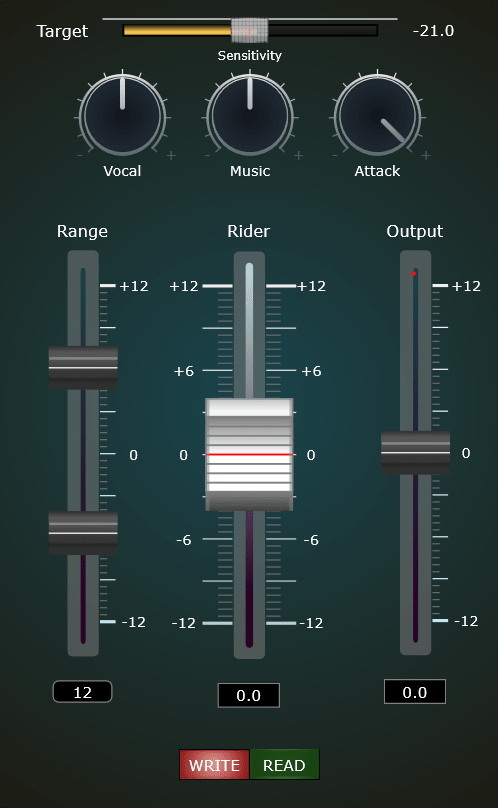
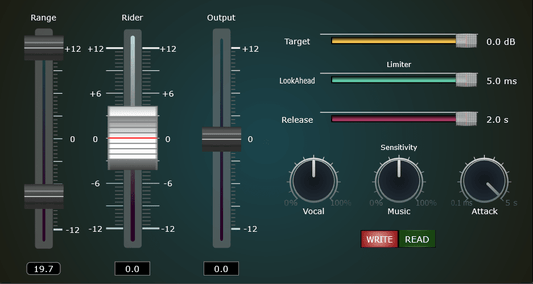
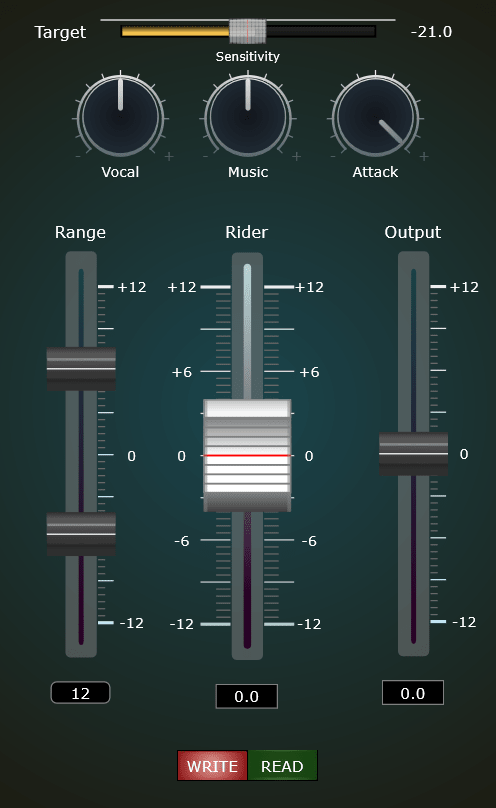
The vocal rider range has doubled from ±12 dB to ±24 dB. Upper Range, Bottom Range and Output have expanded with it.
For a singer moving from quiet lines to loud phrases, or a guest leaning in and out of the mic, there is more adjustment available than before. The same goes for a guitar that keeps swelling: the range no longer stops short. Give the Rider the room the performance needs, rather than working around a range that stops short. Set the range to suit the performance, rather than using the full travel by default.
Release down to 0.0 s, and a click-free bypass
Release now runs from 0.0 to 2.0 seconds. Choose a longer tail or bring it down to zero when the source calls for an immediate release.
The new header bypass lets you compare without removing the plugin. Bypassed audio passes through without the Rider, compression or limiting. The switch ramps for click-free comparisons during playback and is exposed as a parameter for host automation.
That comparison matters more with a vocal rider than with most plugins. Make a change, bypass it, and decide with your ears while the track is playing. Keep the adjustments that serve the mix, with a direct comparison always within reach — and watch the plot disappear from the signal path as you do it.
Bring RPro2 into your workflow — get your license →
Everything else in 3.0.0
The changes above are the ones worth trying first. These are the rest of the release, and a few of them you will feel before you see.
- Attack Modulation now goes up to 5 s, with a 2.5 s default. It used to stop at 100 ms. It sets how fast the Rider's gain is allowed to come down, so a fresh instance now eases into a reduction instead of moving almost instantly. Together with Release starting at 0.0 s, the whole envelope behaves differently out of the box — adjust Attack Modulation to taste early, and save your own preset.
- Music Sensitivity was working backwards. Its sidechain contribution was being subtracted instead of added, so the control did the opposite of what it looked like. Fixed.
- One default changed. Upper and Bottom Range now start at +12 / −12 dB instead of +6 / −6, so a fresh instance rides further than a fresh 2.2.0 did. Lower them, or load your own preset, if you want the old behaviour.
- Presets and saved settings are unaffected. They store real values and load as before, and the Upper Range saved in a session still caps how far the Rider can go.
RPro2 compatibility: macOS Audio Unit and VST3, Windows VST3
RPro2 3.0.0 is available as Audio Unit and VST3 for macOS, with native Apple Silicon and Intel builds, and as VST3 for Windows. macOS needs 11 (Big Sur) or later. A perpetual license is US$69 — one payment, no subscription, and the licence stays with you across updates.
Free trial: the RPro2 free trial still runs the previous build, so it does not include the ±24 dB range or the new view.
Already own RPro2? Read this before updating
Check existing automation on Rider, Upper Range, Bottom Range and Output before playing an old project. The expanded range changes how existing automation positions translate into dB. A position that previously produced +6 dB can now produce +12 dB.
Your automation is not deleted or rewritten, but those lanes may move the level further than you intended. In most hosts you can select the lane and scale it, or simply re-record the ride in Write mode — it is a correction, not a re-mix. Presets and saved settings load as before, and the Upper Range saved in the session still caps how far the Rider can go.
How to install RPro2 3.0.0
Updating from an older version? Replace the old plugin file with the new one. Your settings and license remain in place.
macOS — Audio Unit
- Unzip RPro2MacAUv3.0.0.zip.
- Move RPro2.component into /Library/Audio/Plug-Ins/Components/, or ~/Library/Audio/Plug-Ins/Components/ for your user account only.
- Restart your DAW or rescan plugins.
macOS — VST3
- Unzip RPro2MacVST3v3.0.0.zip.
- Move RPro2.vst3 into /Library/Audio/Plug-Ins/VST3/.
- Restart your DAW or rescan plugins.
Windows — VST3
- Unzip RPro2WindowsVST3v3.0.0.zip.
- Move RPro2.vst3 into C:\Program Files\Common Files\VST3\.
- Restart your DAW or rescan plugins.
RPro2 3.0.0: questions before you buy or update
What is RPro2, exactly? A full dynamics suite in one plugin: volume rider, gate, sidechain and limiter. The vocal rider is the module this release is built around, which is why the notes above are mostly about it.
Can I try it before I buy? Yes. The RPro2 free trial runs the previous build, so it does not include the ±24 dB range or the new view. Everything else is the same plugin.
What does it cost, and is it a subscription? US$69 for a perpetual licence. One payment, no subscription, and the licence stays with you across updates.
Will it run on my system and my DAW? macOS 11 (Big Sur) or later for the Audio Unit and VST3, with native Apple Silicon and Intel builds. Windows for the VST3. Any host that loads those formats will load RPro2. Mono and stereo are mapped automatically, and there is an optional sidechain input for Music Sensitivity.
Does this vocal rider work on speech and instruments? Yes. RPro2 follows level rather than pitch, so it works on spoken word, bass or guitar as well as on vocals. Vocal Sensitivity and Music Sensitivity decide what it listens to.
Will my settings and licence carry over? Yes. Replace the old plugin file with the new build and your presets load as before. Automation is the one thing to check: the notes above explain what shifts and how to correct it.
How much CPU does it use? In a single 44-second release-build trace inside a host, the plugin measured about 2% of one core, with the 3D plot at roughly 0.03%. That is one measurement on one machine, not a benchmark against earlier releases.
What is new compared with 2.2.0? The vocal rider now draws its work — level, Target and gain applied — in 2D and 3D. Under the hood, the limiter's peak detector, the vocal detector and the automation path were rebuilt, reported latency is fixed at 5 ms and the editor draws less. Around that, the ride range reaches ±24 dB, Release goes down to 0.0 s and the header gains a click-free bypass.
Need help with your setup? Contact Casa Occidente with your operating system, DAW and version. If something is not working, include what happened just before the issue.
Make the performance the focus, not the level changes
You have heard the comparison. Now bring that control to your own tracks. RPro2 3.0.0 gives you the expanded range to handle bigger level changes, the visual feedback to understand the ride, and the bypass to judge the result in context — with a lighter, faster engine holding it all up.
For vocals that move from intimate to powerful, spoken-word takes with shifting mic distance, or instruments that need a more consistent place in the mix, make RPro2 part of your next session.
Get RPro2 — perpetual license →
— Casa Occidente